|
Geocoding Images
|
|
|
|
|


|
|
|
Edit IPTC Data
click on 'File', 'Edit' or 'Help' to navigate the documentation
|
|
|
|
|
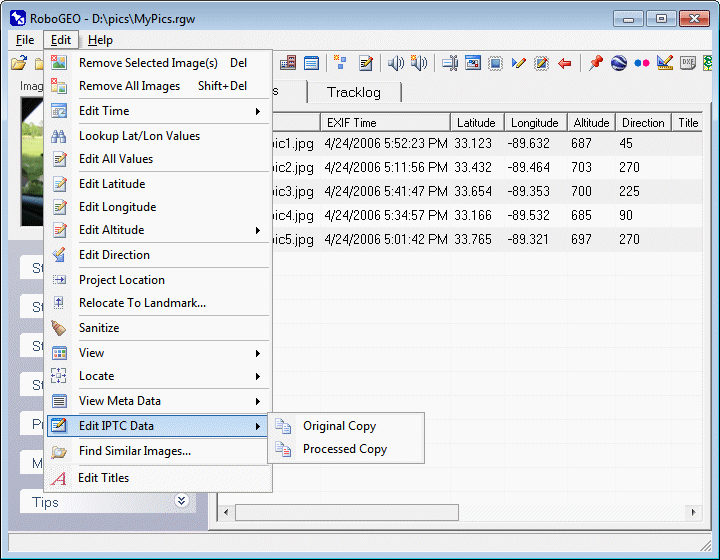
You can edit the IPTC data either manually (as described below) or you can use KML polygon files if you only need to update the IPTC Headline (from the polygon name) and/or Caption Abstract (from the polygon description) fields. Click the 'Edit Per KML Polygons' button on the IPTC Editor form to load a KML file. More info about Google Earth KML polygons and how the program deals with them is here. Original Copy
Select this option to load the original images into the IPTC editor. The IPTC editor allows you to manually edit common IPTC fields including the country name, country code, state or province, city, sub-location, headline, caption abstract, and the keywords.
Processed Copy
Select this option to load the previously processed images into the IPTC editor.
|
|
|
|
|
|
|
|
|
|
|
© 2003-2025 Pretek, Inc.
|